
✅ Class - 1 | Introduction to AI & Claude
15 mins 58 secs
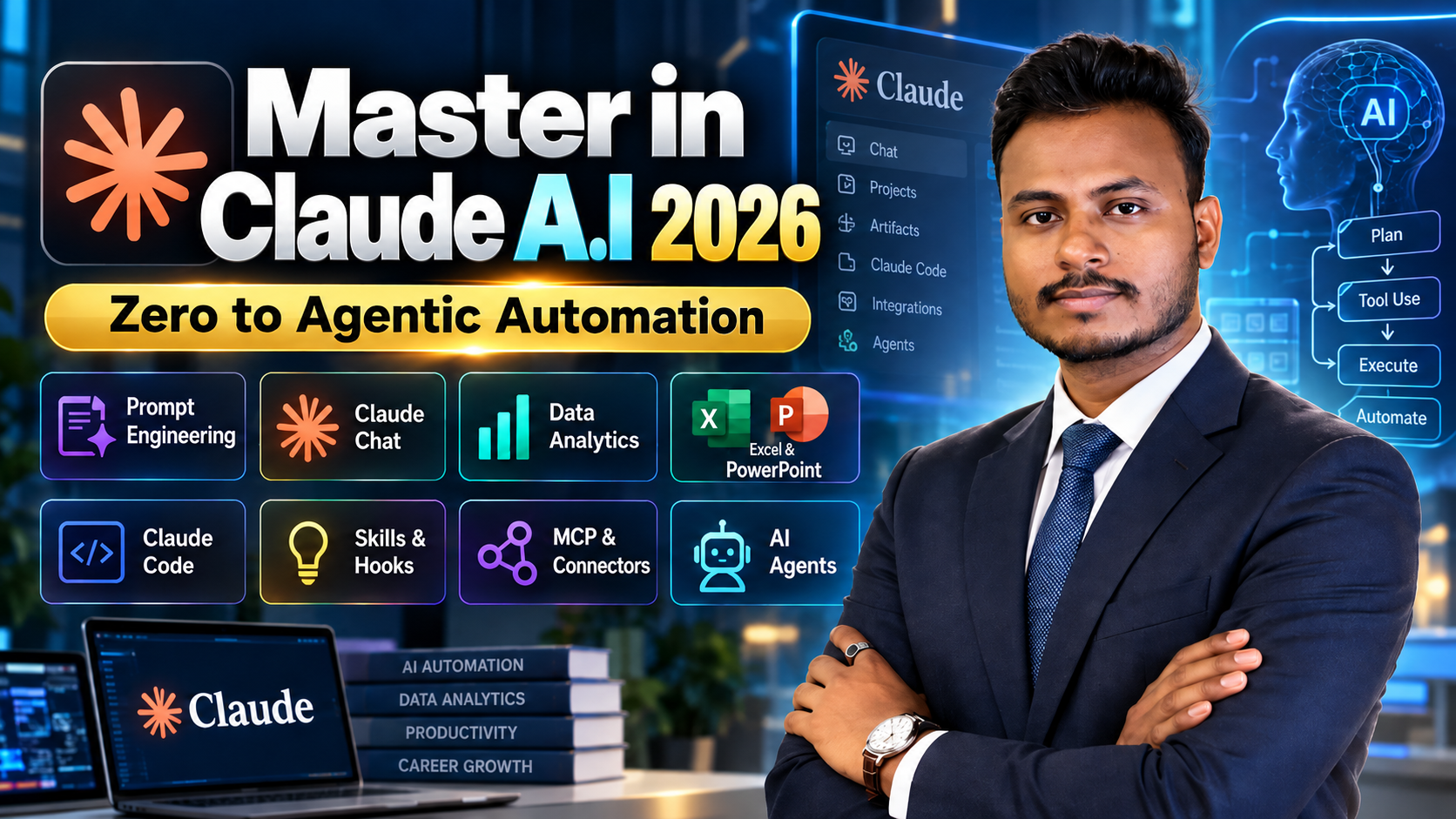
🎓 Meet Your Instructor – Mr. Vikas Kumar With 6 years of IT industry experience as a Data Engineer and recent research in AI, Mr. Vikas Kumar brings practical expertise and real-world knowledge to help you master Claude AI, AI Agents, Automation, and Data Analytics. 🚀
📚 About This Course Master Claude AI from Zero to Advanced Level!
This comprehensive Claude AI Masterclass is designed for students, working professionals, data analysts, developers, entrepreneurs, and AI enthusiasts.
You will learn how to use Claude Chat, Prompt Engineering, Claude Code, AI Agents, MCP, Plugins, Skills, Hooks, and Workflow Automation to improve productivity, analyze data, build applications, and automate professional tasks.
The course combines fundamental concepts, practical demonstrations, business applications, and hands-on projects to help you develop job-relevant AI skills.
📖 Complete Course Curriculum 📌 Module 1: AI Foundations & Claude Introduction Learn the fundamentals of AI and understand the Claude ecosystem.
Important Topics:
Introduction to Artificial Intelligence (AI)
Generative AI and Large Language Models (LLMs)
Anthropic and the Claude AI ecosystem
Claude vs ChatGPT vs Google Gemini
Claude Model Family: Haiku, Sonnet & Opus
Claude Desktop Application
Choosing the right AI model for different tasks
Real-world applications and limitations of Claude AI
Practical: Compare leading AI models for writing, reasoning, coding, and business productivity.
📌 Module 2: Claude Chat & Prompt Engineering Mastery Learn how to communicate effectively with AI and generate accurate, professional outputs.
Important Topics:
Claude Chat: Beginner to Advanced
Prompt Engineering Fundamentals
Task, Context, Constraints & Output Formatting
Zero-Shot & Few-Shot Prompting
Role-Based Prompt Engineering
Structured Output Generation
Advanced Questioning Techniques
Common Prompting Mistakes & Best Practices
Practical: Transform basic prompts into powerful instructions and generate professional reports, summaries, and tables.
📌 Module 3: Claude AI for Everyday Productivity Use Claude to simplify daily tasks, research, communication, and knowledge management.
Important Topics:
AI-Powered Content Writing
Professional Email Drafting & Replies
PDF, Document & Article Summarization
Research Assistance & Idea Generation
Documentation & Knowledge Organization
AI-Powered Learning & Study Assistance
Personal Productivity & Workflow Optimization
Practical: Create professional emails, summarize lengthy documents, and build an AI-powered study assistant.
📌 Module 4: Claude AI for Data Analytics & Business Intelligence Discover how Claude can support data-driven decision-making and business analytics.
Important Topics:
Claude AI for Data Analytics
SQL Query Generation Using AI
SQL Debugging & Query Optimization
CSV Data Analysis & Data Profiling
Data Cleaning & Transformation
Exploratory Data Analysis (EDA)
KPI Analysis & Dashboard Planning
Business Insights & Root Cause Analysis
Data Storytelling & Executive Reporting
Real-World Case Studies:
Sales Performance Analysis
Customer Churn Analysis
Financial Data Analysis
Marketing Funnel Analytics
Business Operations Analysis
Practical: Generate SQL queries, troubleshoot errors, analyze CSV files, and create actionable business insights.
📌 Module 5: Claude AI with Microsoft Excel & PowerPoint Improve spreadsheet productivity and create professional business presentations using AI.
Important Topics:
Claude AI for Microsoft Excel
Excel Formula Generation & Explanation
Spreadsheet Data Cleaning & Validation
Pivot Tables & Summary Reports
Claude AI for PowerPoint
Professional Presentation Outlines
Executive Storytelling & Speaker Notes
Converting Business Data into Presentations
Practical: Solve Excel problems, create formula assistants, and generate structured PowerPoint presentations.
📌 Module 6: Claude Code – Beginner to Advanced Learn how to use Claude Code for software development and real-world AI-powered applications.
Important Topics:
Introduction to Claude Code
How Agentic Coding Works
Terminal Basics & AI-Assisted Development
Claude Code Installation on Windows
CMD & PowerShell Configuration
API Key Authentication
Claude Code in VS Code & IDEs
Third-Party Integrations & Local Model Workflows
Configuration Using settings.json
Auto Memory & Project Planning
Plan Mode and AI-Assisted Coding
Live Project 1: Build a practical application using Claude Code and Plan Mode.
📌 Module 7: Claude Cowork, Commands, Context, Skills & Hooks Master advanced Claude configuration, context management, and reusable AI automation.
Important Topics:
Claude Cowork & Workflow Concepts
Claude Code Slash Commands
/cost – Track Token Usage & Costs
/compact – Optimize Conversation Context
/clear – Reset Conversations
Permission Modes & Safety Controls
.claude Directory Structure
CLAUDE.md – Project Instructions & AI Memory
Global vs Project-Level Configuration
Context Window & Token Management
Preventing Context Degradation
Claude Skills – Reusable AI Workflows
Creating Custom Skill Files
AI-Assisted Skill Development
Claude Hooks – Event-Driven Automation
Notification Hooks & Guardrail Hooks
Hook Events, Security & Automation Controls
Practical: Create CLAUDE.md files, develop reusable AI skills, optimize token usage, and build custom notification hooks.
📌 Module 8: MCP, Connectors, Sub-Agents & Agent Teams Connect Claude with external platforms and design intelligent multi-agent workflows.
Important Topics:
Model Context Protocol (MCP)
MCP Servers & Architecture
Claude Connectors vs MCP
Gmail Integration with Claude
Local vs Hosted MCP Servers
Building Custom MCP Servers
AI Sub-Agents & Multi-Agent Systems
Agent Teams & Parallel Workflows
AI-Powered Research & Task Delegation
Practical: Configure MCP integrations, connect external tools, and design workflows using multiple specialized AI agents.
📌 Module 9: Claude Plugins, Scheduling & Advanced Automation Build repeatable AI-powered workflows that save time and reduce manual effort.
Important Topics:
Claude Code Plugins
Plugin Installation & Marketplace
Scheduling AI Tasks
/loop – Repeating Tasks Automatically
Claude Routines & Desktop Automation
Headless Mode – Claude Without a User Interface
Unattended & Scheduled Workflows
Remote Execution Concepts
IDE Integrations
Advanced Claude Productivity Techniques
Live Project 2: Build a practical AI automation workflow using Claude Code, plugins, and scheduling.
Note: Some features depend on the Claude version, platform, permissions, subscription, and third-party integrations.
🛠️ Hands-On Projects & Practical Training Learn by building real-world applications and automation workflows.
Project What You Will Build 01 Claude AI Use-Case Mapping 02 Advanced Prompt Engineering Pack 03 AI-Powered Email Drafting Assistant 04 PDF & Article Summarization Tool 05 AI Study & Learning Assistant 06 Daily Pulse Automation App 07 AI-Powered SQL Assistant 08 CSV Data Insights Generator 09 Excel Formula Assistant 10 AI-Powered PowerPoint Generator 11 Custom Notification Hook Plus 2 live Claude Code projects featuring application development and advanced automation.
🎯 What You Will Learn After completing this course, you will be able to:
✅ Understand AI, Generative AI & Large Language Models
✅ Master Claude Chat & Advanced Prompt Engineering
✅ Analyze business data using Claude AI, SQL & CSV
✅ Improve productivity with Excel & PowerPoint AI Workflows
✅ Install, configure, and use Claude Code
✅ Manage AI context, tokens, memory, and project instructions
✅ Build reusable Claude Skills, Hooks & Plugins
✅ Connect external platforms using MCP
✅ Design and coordinate AI Agents & Agent Teams
✅ Automate recurring business and technical workflows
✅ Develop practical applications using Claude Code
✅ Understand Anthropic API Integration for AI-powered solutions
✅ Deliver professional outputs for business, analytics, and technical projects
👨💻 Who Should Enroll? This course is suitable for:
🎓 Students & Freshers – Build future-ready AI skills.
📊 Data Analysts & Data Engineers – Accelerate SQL, analytics, and reporting.
💻 Developers & IT Professionals – Learn Claude Code and agentic workflows.
🏢 Business Owners & Entrepreneurs – Automate repetitive business operations.
📈 Finance & Excel Professionals – Improve reporting and spreadsheet productivity.
🤖 AI Enthusiasts – Explore AI agents, MCP, automation, and practical applications.
🚀 Working Professionals – Improve efficiency using advanced AI tools.
Prerequisites: No previous AI experience is required for the introductory modules. Basic computer knowledge is recommended, while familiarity with SQL or programming will help in advanced projects.
🏆 Your Learning Outcome Go Beyond Using AI — Learn to Build with AI!
By the end of this Claude AI Masterclass, you will be equipped to move from basic AI conversations to designing prompts, developing intelligent agents, creating practical applications, managing AI context, integrating tools, and automating real-world workflows.
🚀 Learn Claude AI. Master Agentic Automation. Build Future-Ready Skills.
Presented by Accounts Expert Empowering Professionals Through Practical, Industry-Oriented Learning.
$16.33