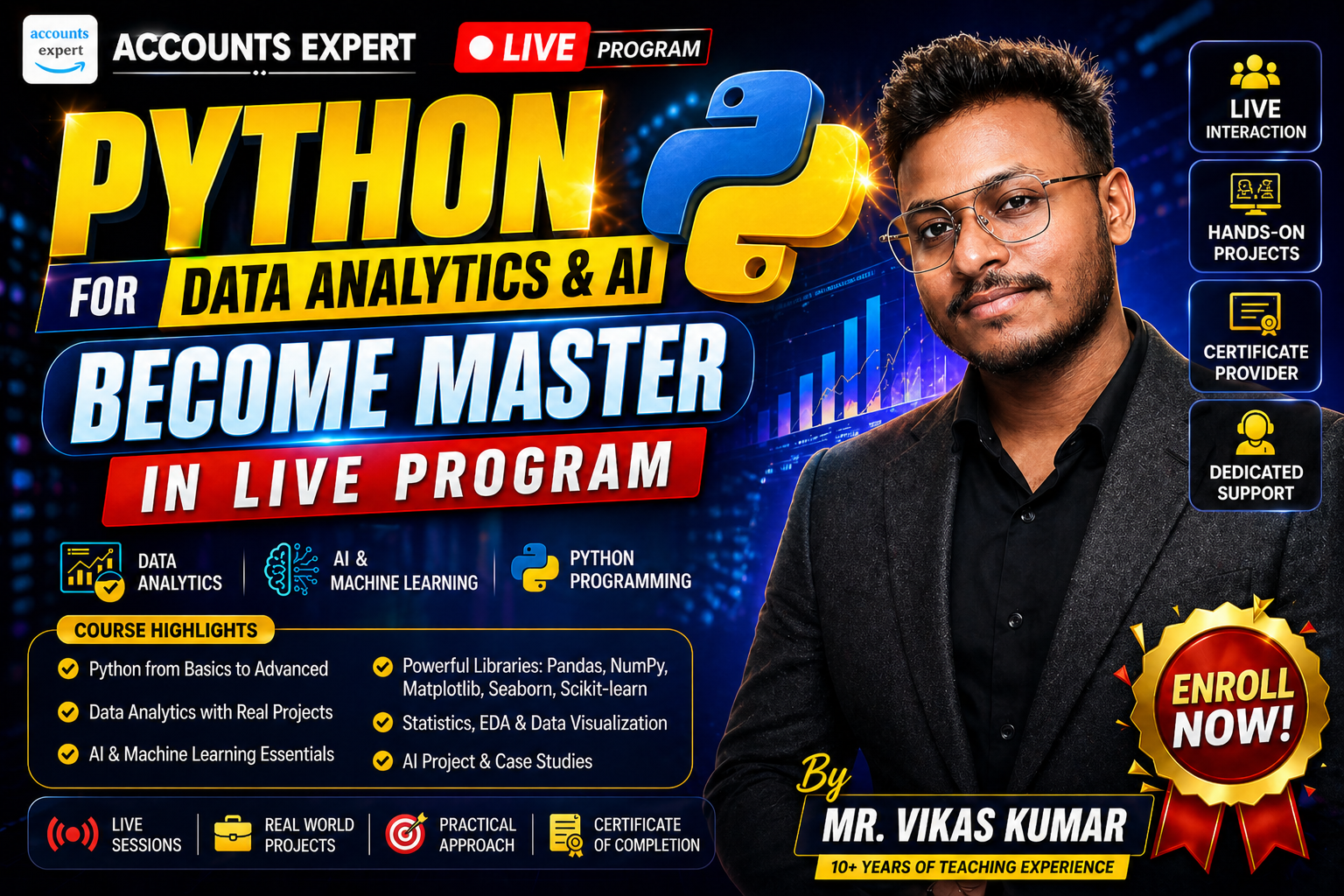
Python for Data Analytics & AI – Become Master in Live Program
$32.68
$416.89
Description
NOTE - The LIVE batch will start from 4th May 2026. For the first 100 candidates, the fee is ₹1,999; thereafter, it will be ₹2,999.
About Trainer Profile & Experience - Mr. Vikas Kumar is a Data Analytics professional with 4 years of industry experience, specializing in tools such as Python, SQL, Excel, Power BI, Tableau, and Apache Superset, along with cloud technologies like AWS. He focuses on converting complex data into actionable insights for business decisions.
In addition to his professional work, he is a dedicated trainer who has mentored over 1,000 students and professionals, delivering practical, industry-focused learning in data analytics.
Learning Journey Overview
- Phase 1 — Python Foundations: M01–M10 | 6–7 weeks
- Phase 2 — Data Analytics Stack: M11–M14 | 5–6 weeks
- Phase 3 — Professional Dev Skills: M15–M20 | 5–6 weeks
- Phase 4 — Advanced Topics & AI: M21–M24 | 3–4 weeks
Phase 1 — Python Foundations
M01 — Introduction to Python
Set up the development environment, understand Python's role in data & AI, and write your first programs.
- Python 3.11+, VS Code, Jupyter Notebook, Anaconda setup
- Keywords, indentation, comments, and statement structure
- AI Tool: GitHub Copilot — scaffold a basic calculator
- Mini-Project: Personal Info Printer
M02 — Variables, Data Types & Operators
- int, float, str, bool, NoneType
- Arithmetic, comparison, logical, identity, membership, bitwise operators
- Type conversion: int(), float(), str(), bool()
M03 — Lists & Tuples
- Lists: indexing, slicing, append/insert/extend/remove/pop
- List comprehensions: [x**2 for x in range(10) if x % 2 == 0]
- Tuples: immutability, packing/unpacking
- AI Tool: Claude — review code for Pythonic best practices
M04 — Sets & Dictionaries Sets: union, intersection, difference, symmetric_difference
- Dictionaries: access, update, delete, nesting, comprehension
- Practical: word frequency counter
M05 — Strings & String Methods
- Slicing, concatenation, repetition
- upper/lower/strip/find/replace/split/join
- f-strings and format() for professional output
- 50+ string methods cheat sheet
M06 — Control Flow & Loops
- if / elif / else, nested conditions
- for loop with range(), while loop
- break, continue, pass
- Ternary expressions
M07 — Functions
- Positional, keyword, default, *args, **kwargs
- Lambda functions, map(), filter(), sorted()
- Scope: local, global, nonlocal, LEGB rule
- Recursive functions
- AI Tool: Copilot + Claude — generate and refactor function bodies
- Mini-Project: Calculator Library module
M08 — Errors & Exception Handling
- try / except / else / finally
- Handling ValueError, TypeError, FileNotFoundError, etc.
- raise, assert, custom exception classes
- Logging basics for production code
M09 — File Handling & Modules
- File I/O: open, read, write, context managers
- Working with CSV, JSON, and text files
- Python modules & packages, __init__.py
- Standard Library: os, sys, pathlib, datetime, random, math
M10 — Object-Oriented Programming (OOP)
- Classes, objects, __init__, self, instance attributes
- Inheritance (single & multiple), super()
- Polymorphism, encapsulation, abstraction
- Dunder methods: __str__, __repr__, __len__, __eq__, __add__
- Phase 1 Project: Bank Account Simulator — OOP app with deposit, withdraw, transfer, interest
Phase 2 — Data Analytics Stack
M11 — NumPy — Numerical Computing
- ndarray: dtype, shape, ndim, indexing, slicing
- Reshape, flatten, transpose, concatenate, stack, split
- Aggregations: sum, mean, std, min, max, argmax
- Broadcasting rules, random module
- AI Tool: Jupyter AI — explain errors and generate cheat sheets inline
M12 — Pandas — Data Manipulation & Analysis
- Series, DataFrame, Index; read_csv/excel/json/sql
- Cleaning: dropna, fillna, drop_duplicates, astype
- GroupBy, merge/join/concat, pivot tables
- DateTime handling, rolling windows, chunked reading
- AI Tool: Jupyter AI + Claude — clean DataFrames and review GroupBy code
- Mini-Project: Sales Data Analysis on 10,000-row CSV
M13 — Matplotlib & Seaborn — Visualization
- Line, scatter, bar, histogram, pie, area charts
- Subplots, GridSpec, customization: titles, legends, annotations
- Seaborn: boxplot, violin, heatmap, pairplot
- Intro to Plotly for interactive charts
- AI Tool: Claude — make charts publication-quality
M14 — Statistics for Data Analytics
- Descriptive stats: mean, median, mode, variance, std
- Probability distributions: normal, binomial, Poisson
- Hypothesis testing, p-values, t-tests, chi-square
- Correlation (Pearson, Spearman), regression intro, A/B testing
- Phase 2 Project: E-Commerce Customer Analysis — end-to-end EDA pipeline
Phase 3 — Professional Developer Skills
M15 — Git & GitHub
- init, clone, add, commit, push, pull, fetch
- Branching, merge conflicts, pull requests
- .gitignore, tags, releases
- GitHub Actions: automated tests on every push
- AI Tool: Copilot Chat — explain diffs, write commit messages
M16 — Working with APIs & Web Data
- HTTP: GET, POST, PUT, DELETE, status codes
- requests library: headers, params, authentication, pagination
- FastAPI: building your first REST endpoint
- Mini-Project: Live News Dashboard
M17 — Testing & Code Quality
- unittest & pytest: fixtures, parametrize, marks
- Mocking: MagicMock, patch
- Code coverage with pytest-cov (target ≥90%)
- TDD workflow; linting with flake8/ruff; formatting with black/isort
- AI Tool: Copilot + Claude — generate test stubs and find missing cases
M18 — Debugging & Performance
- pdb & VS Code debugger: breakpoints, call stack, watch
- Profiling: cProfile, line_profiler, memory_profiler
- NumPy vectorization over Python loops
- AI Tool: Claude — 5-step debug workflow (Spot → Paste → Describe → Fix → Validate)
M19 — Packaging & Deployment
- venv, conda, pip, requirements.txt, pyproject.toml
- Docker: Dockerfile, image, container, docker-compose
- Cloud deployment: Heroku, Render, Railway (free tier)
- CI/CD: GitHub Actions for lint + test + deploy
M20 — Prompt Engineering for Developers
- Prompt anatomy: role, context, task, constraints, output format
- Zero-shot, few-shot, chain-of-thought prompting
- Tool tips: Copilot (inline), Claude (reasoning), Jupyter AI (notebook)
- Build a personal prompt library for recurring tasks
Phase 4 — Advanced Topics & AI
M21 — Advanced Python Concepts
- Iterators, generators, yield expressions
- Decorators: @property, @classmethod, @functools.wraps
- Context managers, comprehensions (list/dict/set/generator)
- Collections: Counter, defaultdict, namedtuple, deque
- Concurrency basics: threading, multiprocessing, asyncio
M22 — Database Integration
- SQLite: sqlite3 module, CRUD operations
- SQLAlchemy ORM: models, sessions, relationships
- Pandas to SQL: read_sql(), to_sql()
- PostgreSQL via psycopg2; MongoDB with pymongo (basic CRUD)
M23 — Best Practices & Career Prep
- PEP 8, project structure (src layout), docstrings (Google/NumPy styles)
- Security: input validation, secrets management, OWASP top 10
- GitHub portfolio: pinning repos, writing impressive README files
- Interview prep: common Python questions and live coding patterns
Capstone Project
- Data Analysis Using Python
- Business Problem solver using python
AI Tools Integration Guide
GitHub Copilot: Real-time code completion in VS Code. Boilerplate, function stubs, test cases, docstrings. Used from M01 onward.
Jupyter AI: In-notebook AI (%%ai magic). Explain NumPy/Pandas errors inline, generate chart code, EDA tasks. From M11 onward.
Claude: Deep reasoning and code review. Architecture questions, refactoring, debugging complex errors. Used throughout.
Google Gemini: Multimodal analysis. Chart image analysis, research paper summaries, business problem framing. Phase 2–4.
NotebookLM: Source-grounded research. Summarise documentation, create study guides. Self-study support.
Gamma AI: AI-generated presentations. Turn analysis notebooks into stakeholder slides. Capstone sprint.
Loading...
$32.68